Implementing Service Discovery – Eureka Server
Project setup
cd ~
spring init -d=cloud-eureka-server -n=eureka-server eureka-server
Using service at https://start.spring.io
Project extracted to '/home/hadoop/eureka-server'
Enabling the Eureka server as a Discovery Service server
By default, the Eureka server doesn't enable. So you have to enable the Eureka server by using the @EnableEurekaServer annotation in a main Spring Boot application class that is also annotated with the @SpringBootApplication annotation.
cd ~/eureka-server

cat << EOF > src/main/java/com/example/eurekaserver/EurekaServerApplication.java
package com.example.eurekaserver;

import org.springframework.boot.SpringApplication;
import org.springframework.boot.autoconfigure.SpringBootApplication;
import org.springframework.cloud.netflix.eureka.server.EnableEurekaServer;

@SpringBootApplication
@EnableEurekaServer
public class EurekaServerApplication {

   public static void main(String[] args) {
         SpringApplication.run(EurekaServerApplication.class, args);
   }
}
EOF
If you run this main application class, it will start the Eureka Server. This server has a home page with a UI. This server also has HTTP API endpoints for the normal Eureka functionality under /eureka/*.
By default, every Eureka server is also a Eureka client. So you can also disable this default client registry with the Eureka server by setting registerWithEureka to false.
echo '
server:
  port: 8761

eureka:
  instance:
    hostname: localhost
  client:
    registerWithEureka: false
    fetchRegistry: false
    serviceUrl:
      defaultZone: http://${eureka.instance.hostname}:${server.port}/eureka/
' | tee src/main/resources/application.yml
Here we are configuring this application port to 8761, and it is the default one for Eureka servers. We are telling the built-in Eureka client not to register with itself, because this application should be acting as a server. And the serviceUrl is pointing to the same host as the local instance.
Run the Eureka Server
mvn spring-boot:run
Finally, we can point our browser to http://localhost:8761 to view the Eureka dashboard as follows:
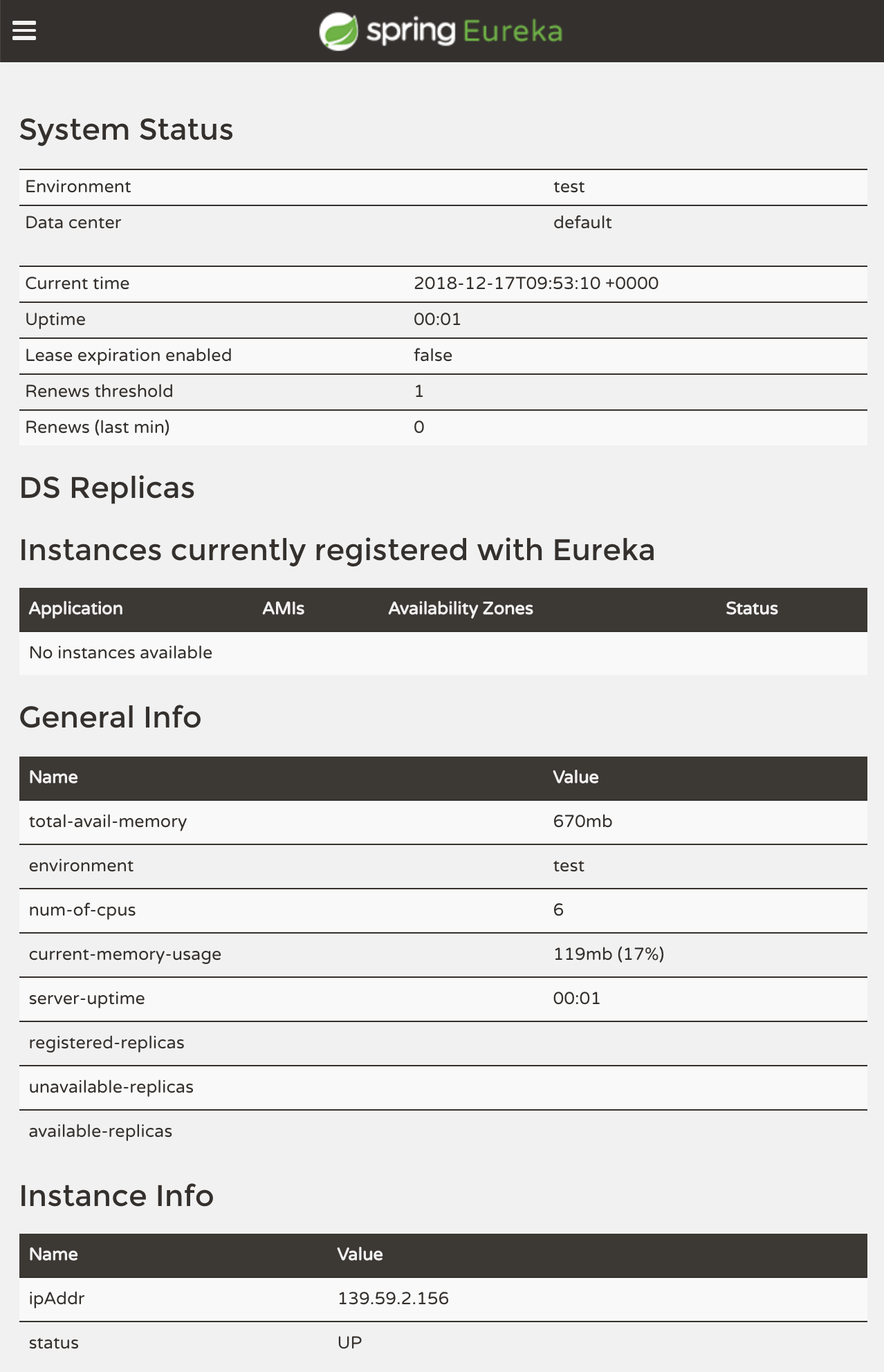
As you can see, currently we don't have any registered service instances.